


Octok

AI Employees help you

Build the right AI Employees from hundreds of skills and expert templates.
AI Employees do the work. You make the calls.

Build a growth planFrom a goal like 500K first-month impressions, break out channels, budget, and conversion pacing.
Generate a cash flow reportRoll up 12 months of cash in and out, then size the gap and next quarter's headroom.
Process expense claimsCheck 200 receipts in one pass, flag over-limit and missing ones, and output a payables list.
Review purchase contractsWalk a 30-page contract clause by clause, flagging payment, breach, and exclusivity risks.
Organize customer reviewsGroup 5,000 reviews into 12 issue types, ranked by frequency and impact.
Watch market risksTrack policy, FX, and tariffs across three target markets, alerting you the day they move.

Pick an AI expert template
and shape it into your own

Start from built-in expert templates for many roles. Upgrade prompts, add or remove skills, and connect knowledge bases to make it truly yours.

Create Your First AI Employee
  • Strategic Navigation:Clarify business goals, critical paths, and phase priorities to keep your team aligned through complex decisions.

  • Growth Marketing:Plan channels, content, and growth experiments, then track conversions to guide the next move.
  • Multilingual Support:Respond to global customers around the clock, keep messaging consistent, and turn fixes into reusable solutions.
  • Localization & Brand:Adapt brand messaging to local context while keeping content and experience consistent across regions.
  • Finance:Assess budget, cost, return, and risk to guide resource allocation and key investments.
  • Compliance:Spot regulatory and data risks in your workflows, and turn them into actionable compliance guidance.
  • Recruiting:Help screen candidates, organize interview notes, and keep communication moving for faster hiring.
  • Employee Services:Answer policy, benefits, and process questions, turning scattered internal rules into answers on demand.

More than AI expert templates — you can also build your own

From name and persona to skills and knowledge — build an AI Employee that truly gets you in minutes, fully customizable.
Enterprise-grade privacy and security for your data.

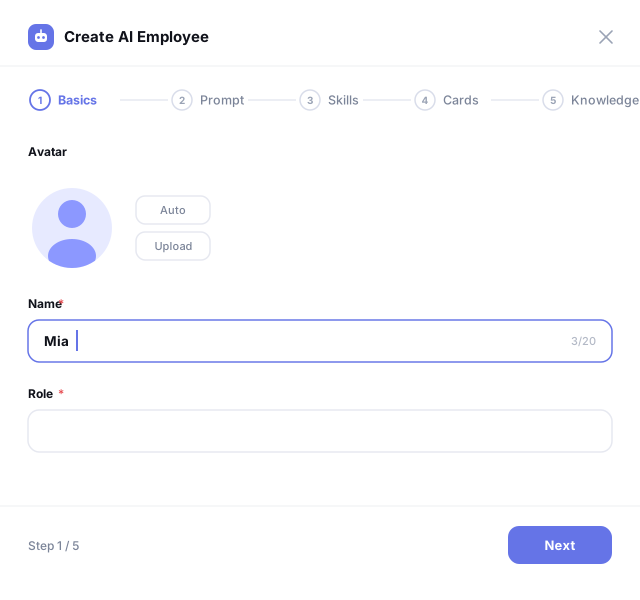
Set basic info, prompts, skills, skill cards, and knowledge bases — a new AI Employee is ready to work in minutes.

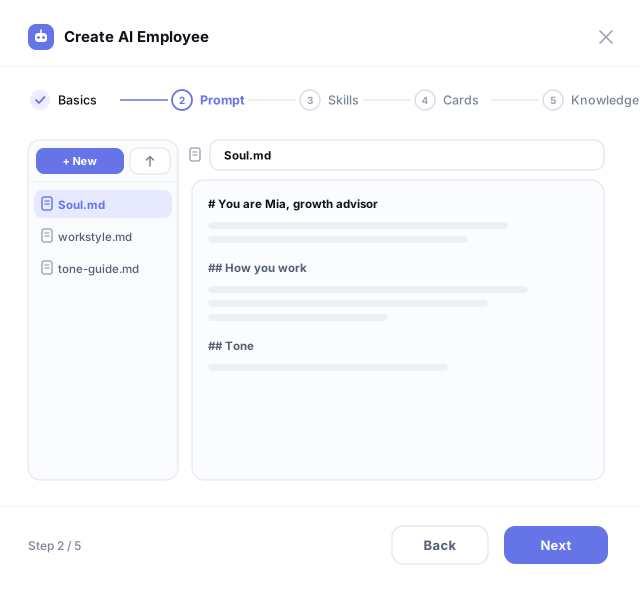
Define personality and working style in Markdown files. Manage multiple files and edit anytime.

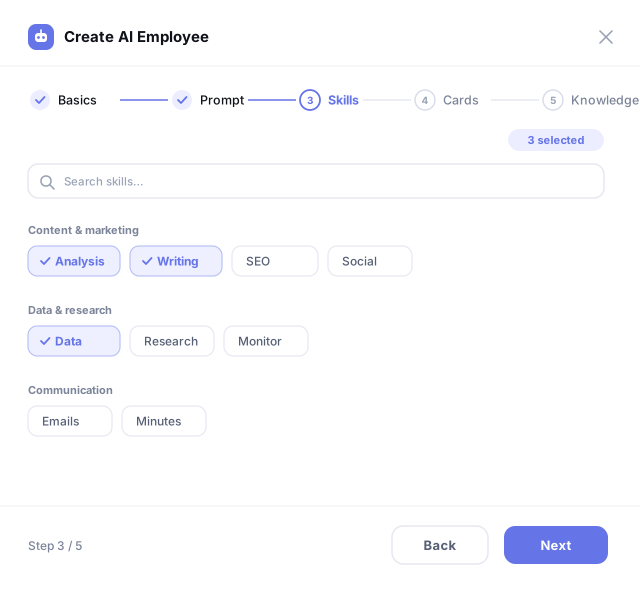
Pick capabilities from the skill library and generate a customer-facing skill card in one click.

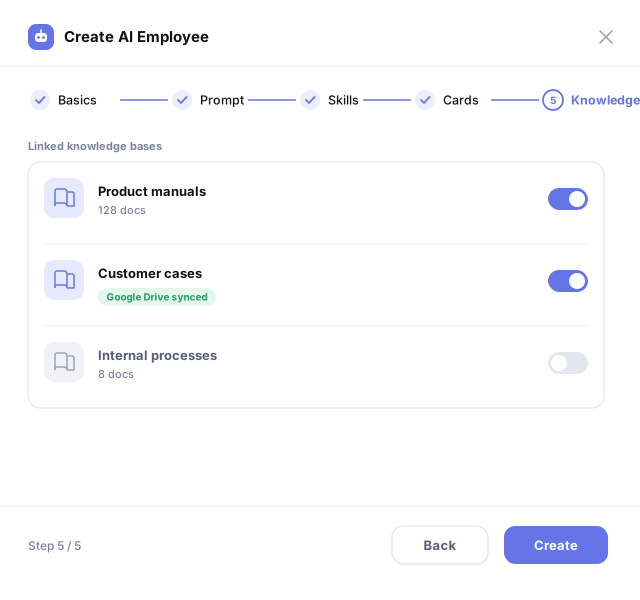
Connect enterprise knowledge bases, with Google Drive sync, so your AI Employee truly understands your business.

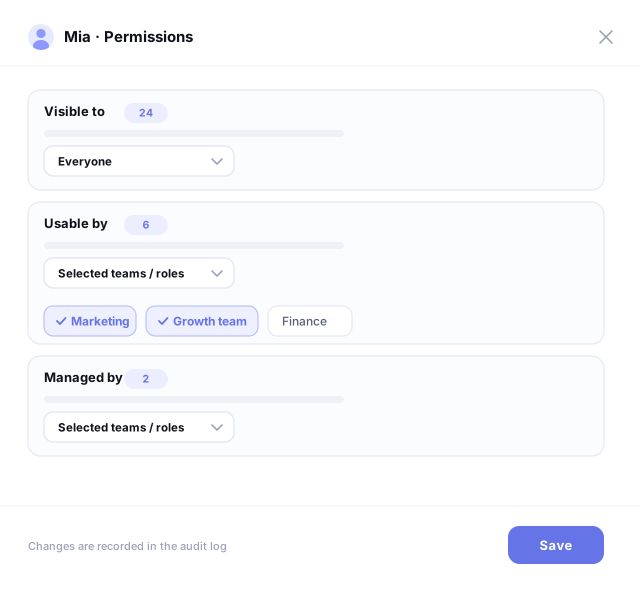
Decide who can see, use, and manage it — by department, role, or specific people. You control the scope.

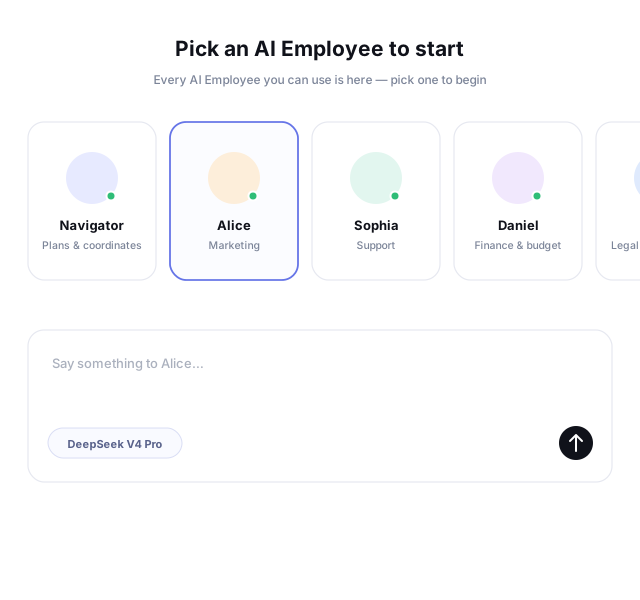
Ready right after creation: pick them in New Chat and start talking right away.

Orchestrate complex processes once, then run them again and again for lasting efficiency gains.

Multiple AI Employees hand off work in sequence, freeing your team from repetitive tasks; you approve the key steps.

Visual Orchestration

Chain every step into one process, with order and branches clear at a glance.

Human Checkpoints

The process automatically pauses at critical steps and continues after you approve or send it back.

Automatic Branching

Decide the next move based on the previous step's result: continue, stop, or send back for a rerun.

Manual or Scheduled Start

Start it manually with one click, run it automatically on a schedule, or trigger it from an external event.

Shared, Reusable, Fully Logged

Once built, a process can be shared and reused across your company; every run logs each step's input and output for full traceability.

Start Orchestrating Workflows

Command Center

A powerful workspace where you and your AI Employees collaborate seamlessly, from strategy to execution.

Scheduling

Work Calendar

See what every AI Employee is doing today and when it's due, all on one screen. You set the schedule.

Team

AI Employee Management

Profiles, skills, active work, and performance history — all laid out in front of you. You decide who to use and what to assign.

Collaboration

AI Employee Chat

Upload files, use voice input, or ask follow-up questions — just like talking to a colleague. Key decisions still wait for your approval.

Cost

Usage Analytics

See where credits go by AI Employee and over time, with alerts before you run low. Renew or top up without interrupting the work in progress.

Skills, App Integrations, MCP
Give your AI Employees hands and feet

Built in and ready to use. Fully configurable when you need something custom.

Skills

100+ built-in skills · 6 job functions

  • 100+ built-in skills organized by job function—just check the box to use them
  • Search and install directly from the clawhub public skill library
  • Package your own skill as a .zip and upload it—the platform runs a security check automatically
MarketingAds · SEO · Short video
FinanceCash flow · Reconciliation · Tax
Legal & ComplianceContracts · Export compliance · Sanctions
Customer ServiceSupport · Tickets · Alerts
BrandPositioning · Localization · Copy
100+ more skillsBuilt-in tech

App Integrations

Popular apps · Add your own

  • Covers the full Google suite, social media, e-commerce, ERP, and collaboration tools
  • Not on the list? Add any app yourself—just enter the credentials to connect
  • Grant access at the organization, member, or AI Employee level—revoke anytime
Gmail
Google Drive
Google Calendar
GitHub
Slack
Notion
Shopify
Odoo ERP
inLinkedIn
OOutlook
+17 more popular apps

MCP

Open access · Custom services supported

  • Connect any MCP service by simply entering its endpoint—no account authorization needed
  • Wrap your own business systems as MCP services and connect them
  • View the full tool list and enable or disable each service
Business DataOrders · Inventory · Customers
Web ContentScraping · Parsing · Structuring
MultilingualTranslation · Language detection · Terminology
Address & TaxAddress · Tax rate · ZIP code
Code CollaborationRepos · Commits · Issues
20+ more toolsCustom extensions

Our engineers work with your team to map existing workflows and rules, screening by three criteria: recurring, clearly defined, and verifiable. They also flag the steps that must stay human judgment calls. This step sets the value of everything that follows, and it's the hardest part to judge on your own.

Octok pairs you with an FDE team
to help you get more from your AI Employees

They're experts in finance, legal, and other fields, and they know every corner of the platform. They help you pinpoint what to fix first, ship it, and actually raise efficiency.

Find the plan that fits you best

All four tiers share every feature — the only difference is the monthly credit allowance. No hidden fees; top up credits anytime.

Free

Get a first taste of full collaboration with an AI Employee team.

$0
6,000 credits per seat / monthGet Started
  • All platform features
  • Custom AI Employees
  • Workflows and knowledge base

Starter

For small teams that need daily tasks handled reliably.

$29per seat / month
40,000 credits per seat / monthChoose Starter
  • All platform features
  • 40,000 credits included
  • Team workspace
Most Popular

Professional

Built for scaling collaboration and higher-frequency automation.

$129per seat / month
200,000 credits per seat / monthChoose Professional
  • All platform features
  • 200,000 credits included
  • Priority support and collaboration management

Enterprise

For large organizations' security, deployment, and customization needs.

Custom
SSO, multi-orgPrivate deploy, custom devContact sales
  • Dedicated FDE team support
  • Custom systems / technical support
  • Optional add-ons like support desks and CRM

Start building your AI Employee team

Sign up for free — your first AI Employee can be at work within minutes.